Plan your wedding together, from the first checklist to the last guest photo.
Budget and vendor deposits, invitation cards with RSVP, QR guest check-in, and a shared photo gallery from your guests. All in one app you plan in together.
- Free to plan
- No app to install
- No subscription
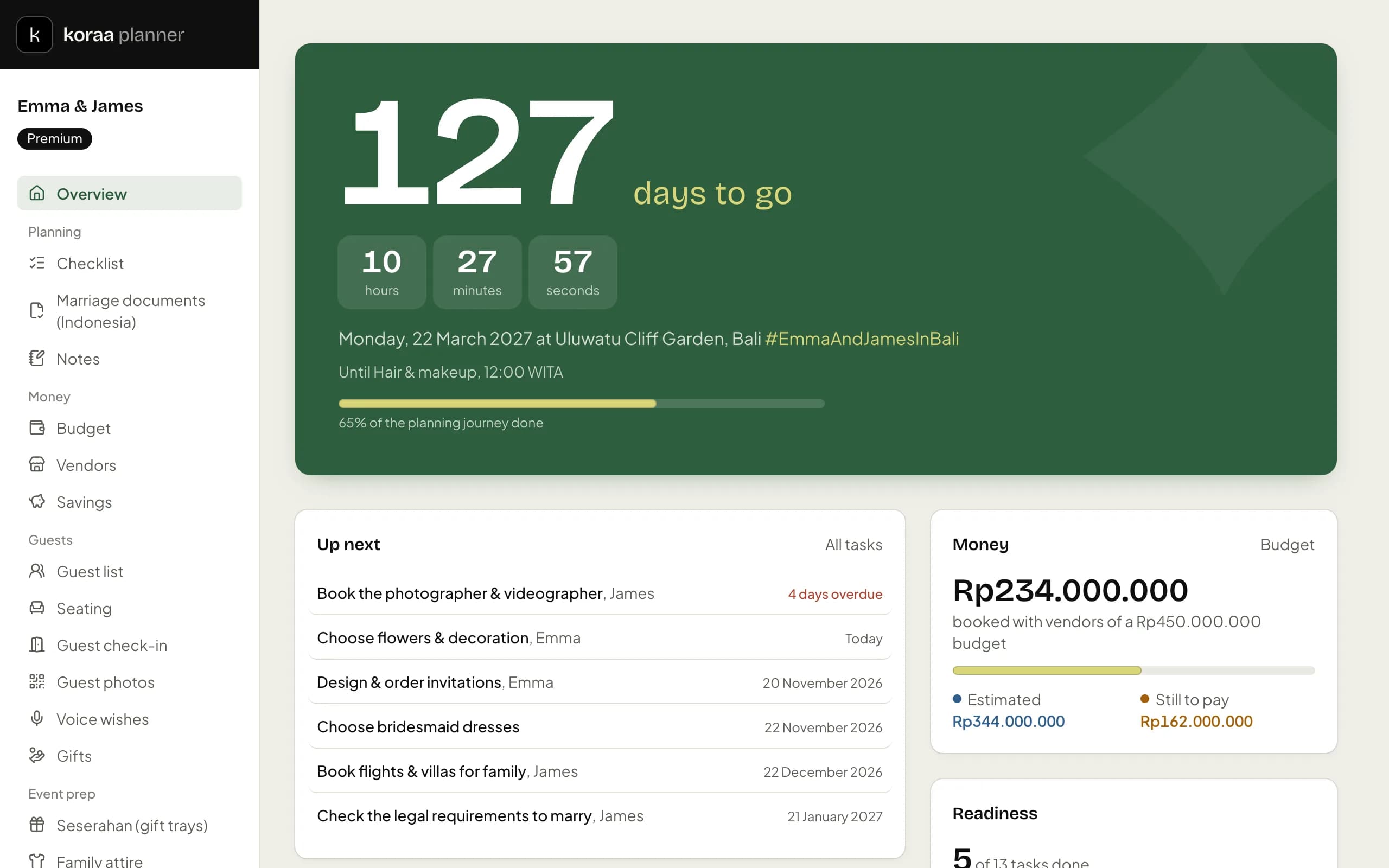
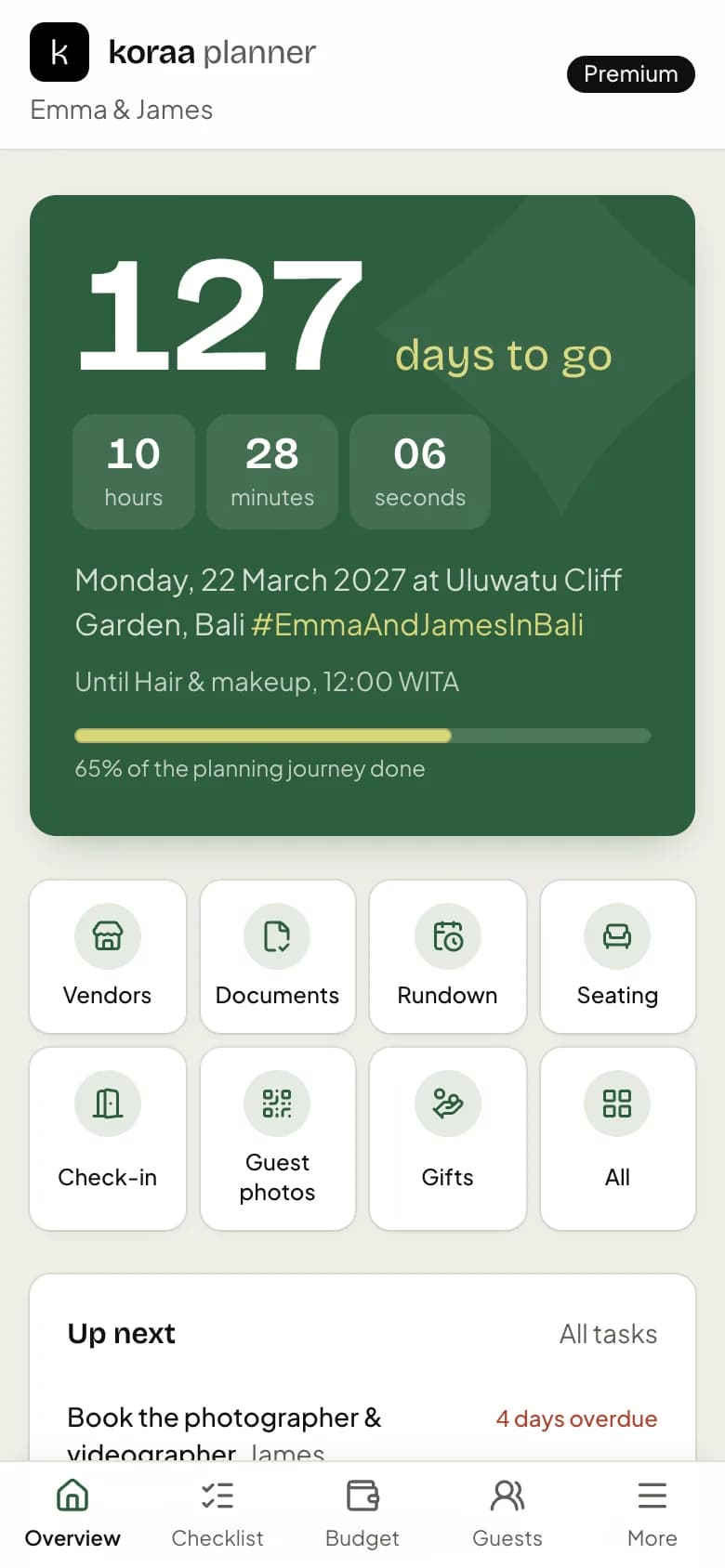
- features in one app
- 15
- free planning features, no credit card
- 8
- shared guest photos per wedding
- 500
- monthly fees: pay once per wedding
- 0
A day that happens once. The planning shouldn't wear you out.
Whether it's a cliff-top ceremony in Bali or a garden party at home, every detail is kept neatly in one place, so you can enjoy every moment with the people you love.
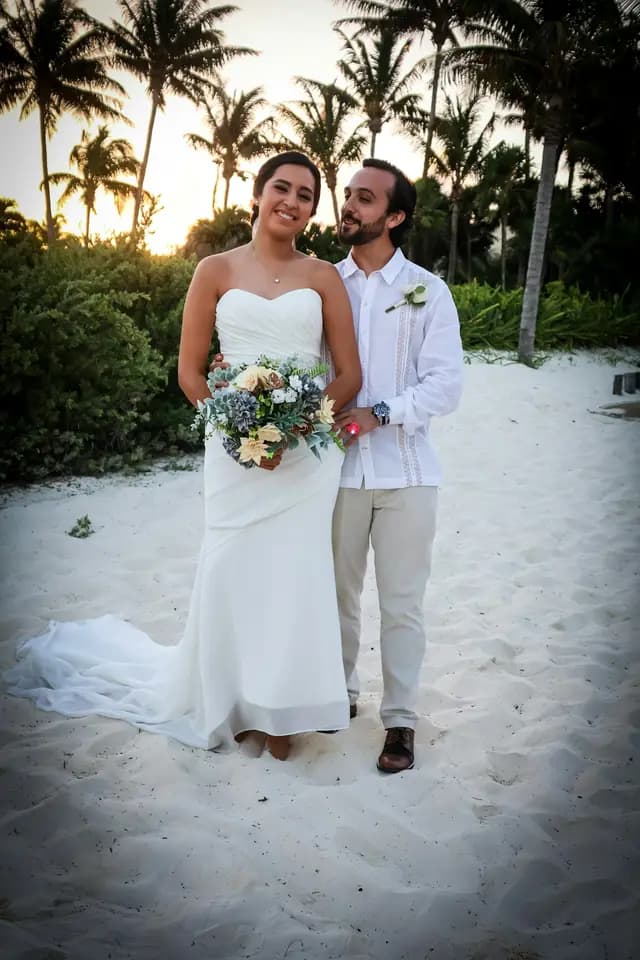


Wedding planning is usually scattered everywhere
Deposits buried in vendor chats
What's been paid and when the final payment is due has to be dug out of message threads, one vendor at a time.
Vendor payments in one place, with due-date reminders.
A budget only one of you can see
Your partner never has the latest numbers, and estimates are never compared with what you actually agreed to pay.
One shared budget, always current, next to the agreed prices.
A checklist that lives in your head
Things like legal paperwork come up too late, when the deadline is already close.
A starter checklist with due dates counted back from your date.
More than a spreadsheet or a printed checklist
Spreadsheets and checklists help you take notes. Koraa Planner connects everything and reminds you.
| What you need | Koraa Planner | Excel / Google Sheets | PDF / printed checklist |
|---|---|---|---|
| Shared with your partner & family, always the latest version | Yes | Build it yourself | No |
| Budget linked to vendors, deposits & final payments, no formulas | Yes | Build it yourself | No |
| WhatsApp invitations + a personal card & RSVP for each guest (map, calendar, table) | Yes | No | No |
| QR guest check-in on the day: headcount, favours & gifts recorded live | Yes | No | No |
| Seating plan, timeline & cards ready to print | Yes | Build it yourself | No |
| Shared guest photo gallery by QR + slideshow on the venue screen | Yes | No | No |
| Voice wishes from guests by QR, only for the couple | Yes | No | No |
| Weekly email reminders for tasks & payments | Yes | No | No |
| Easy to use on a phone | Yes | Build it yourself | Build it yourself |
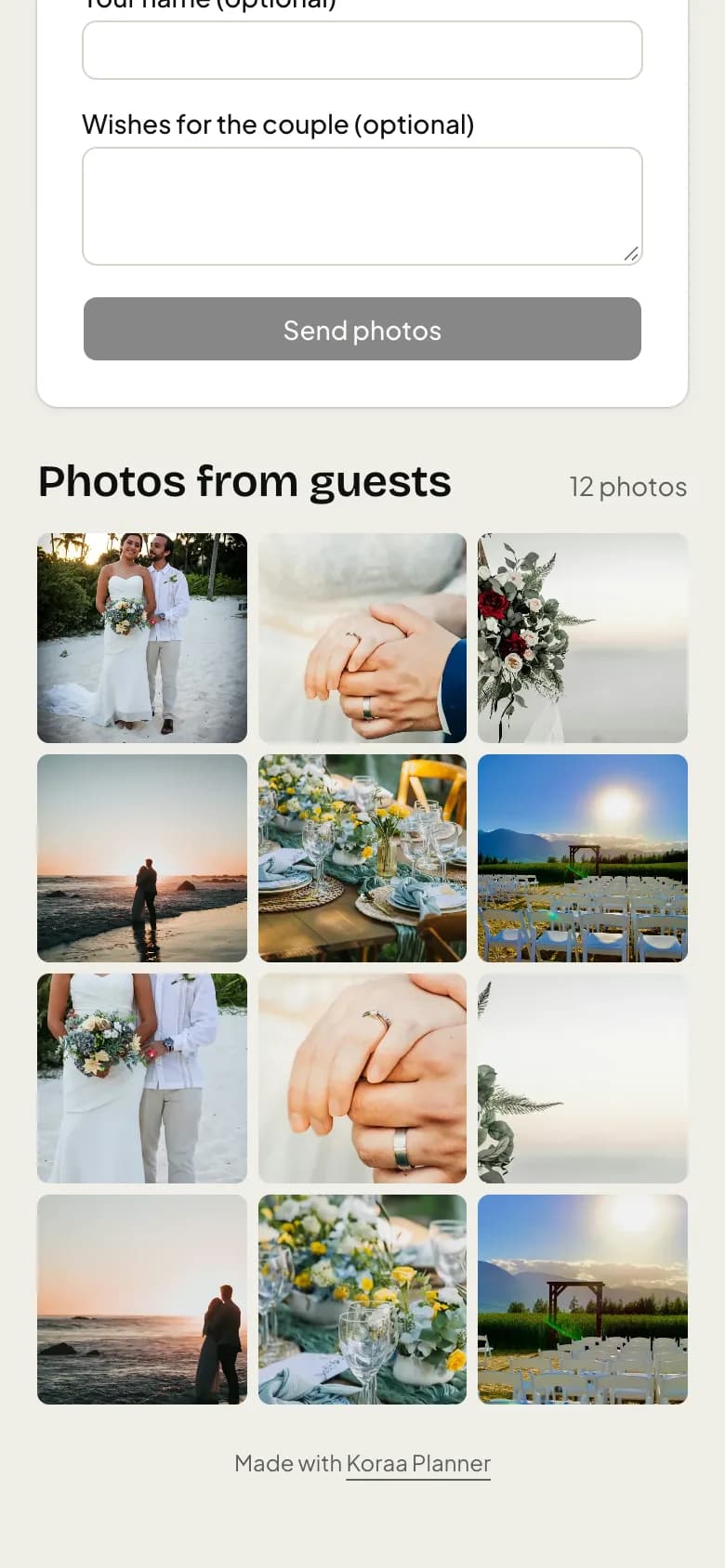
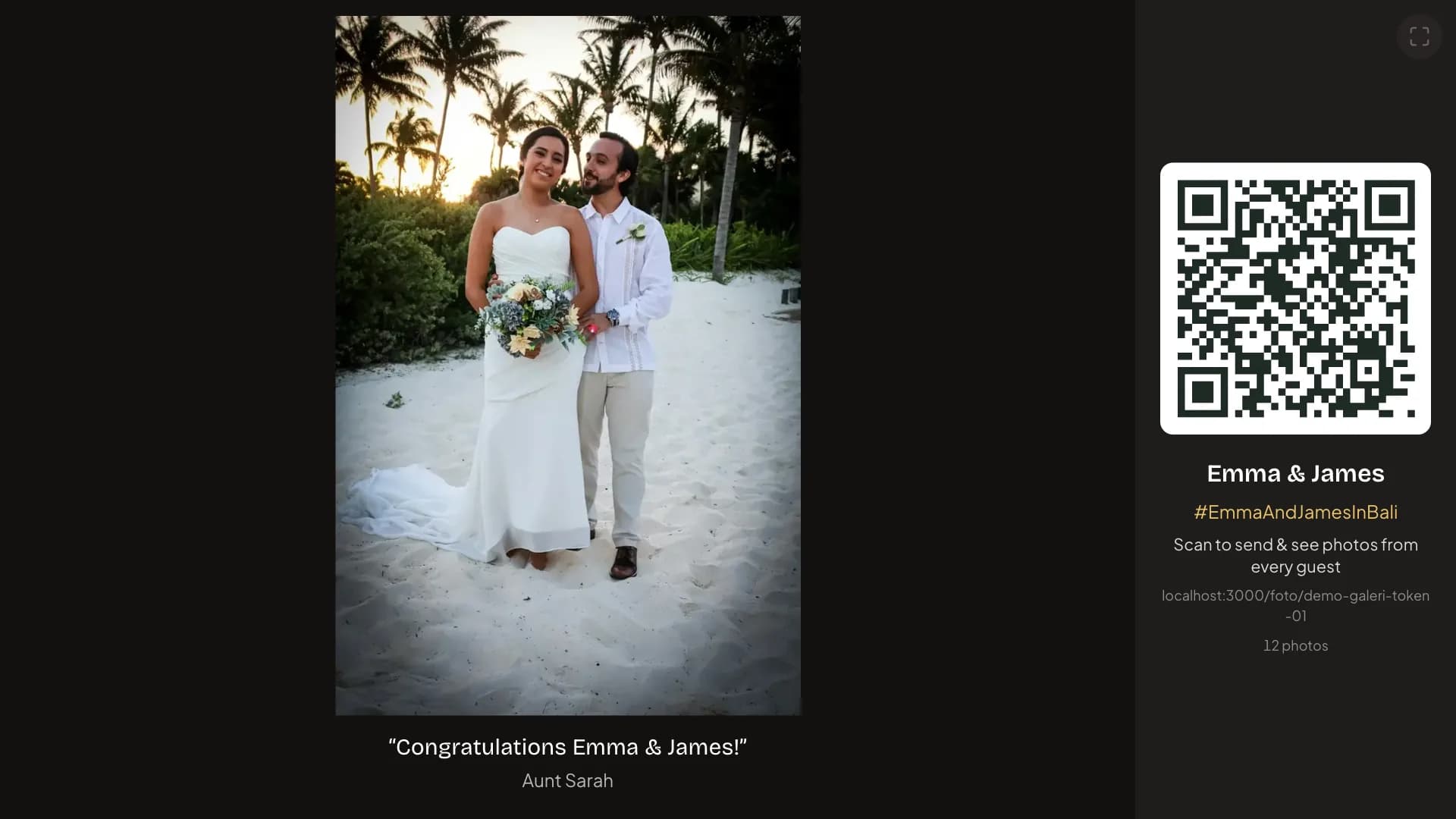
Every photo from your guests, enjoyed together.
Guests capture the moments your photographer missed. They scan a QR, send photos with a wish, and see photos from everyone else right away. You get them all in one place, with the sender's name.
- 1
Print the QR, no design needed
An A4 poster for the entrance, a card for the welcome desk, or small cards for every table. One click from the app.
- 2
Guests send & see photos
Scan with the phone camera, send up to 20 photos with a wish, then see photos from other guests. No app, no sign-up.
- 3
Play it on the venue screen
A slideshow for the projector or TV. New photos appear by themselves, with the QR always beside them.
- 4
Download everything
Photos arrive neatly with the sender's name. Download them all at once in one ZIP file.
- photos per wedding
- 500
- can be raised to 10.000 photos
- photos per upload
- 20
- resized on the guest's phone, saving data
- before, to 7 days after
- 3 days
- opens automatically, or set it yourself
- months of storage
- 12
- after the wedding, with reminders before deletion
You choose: share photos with every guest or keep them for the two of you. Location and camera data inside photos is removed automatically.
Capture our happy moments with us
Emma & James
#EmmaAndJamesInBali
Scan with your phone camera. No app needed.
Everything you need on the way to the big day
15 connected features. Start free, then unlock Premium when you need it.
Guests & invitation cards
Send invitations on WhatsApp. Every guest gets a personal card with your cover photo, time, map, calendar button and RSVP.
Checklist
19 common wedding planning tasks, with due dates set for you.
Budget
Estimates per category, right next to the prices you agreed with vendors.
Vendors
Contacts, status and price of every vendor in one place.
Vendor payments
Deposits, instalments, final payments and due-date reminders.
Day-of timeline
An hour-by-hour schedule with who's in charge, ready to print and share with your planner.
Savings
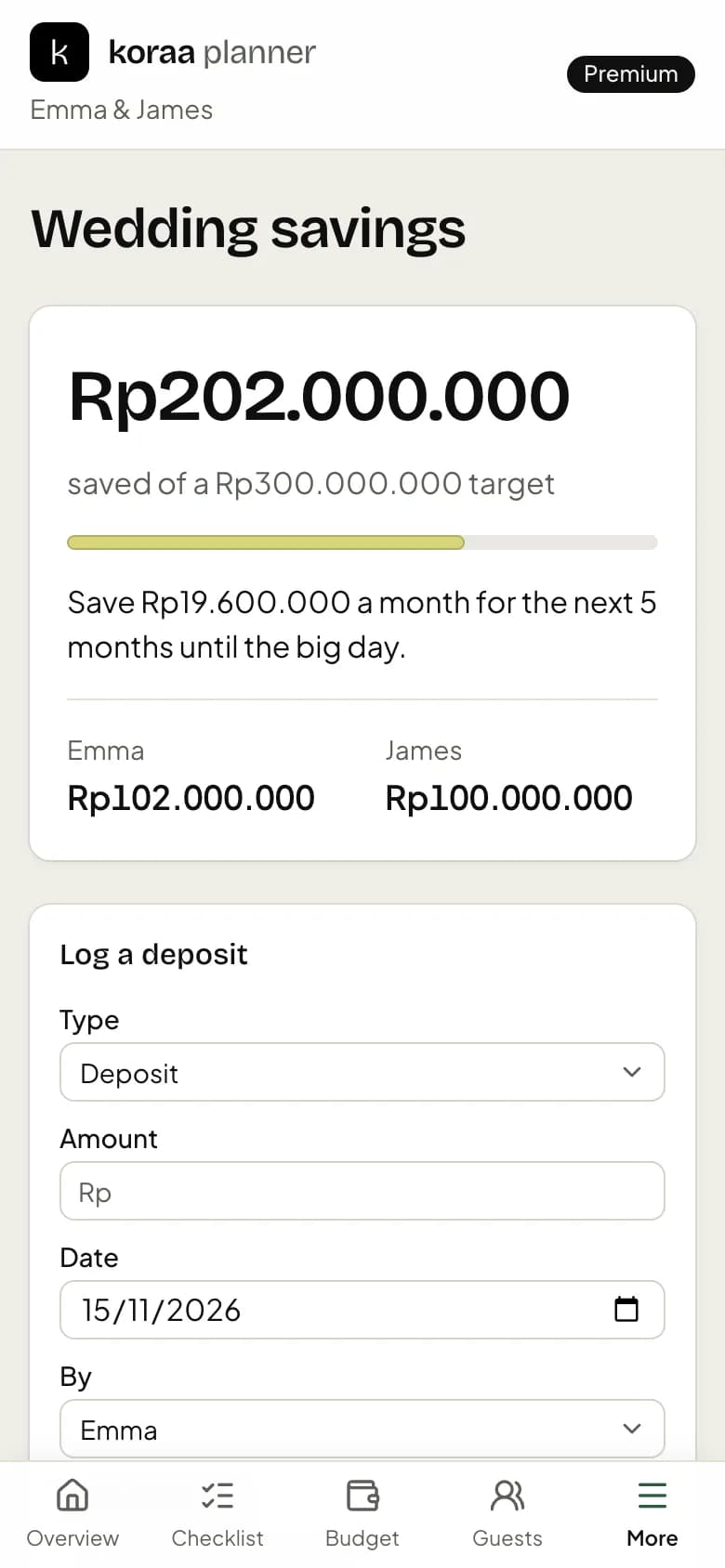
A target, each person's deposits, and what to save per month.
Song list & shot list
For your band or DJ and your photographer, shareable without an account.
Seating plan
Seat guests at tables, see the seats left, then print table cards.
Guest check-in
Your welcome team scans the QR on each invitation card or searches a name. Headcount, favours and gifts are recorded on the spot.
Gifts
Log gifts from guests, then send a thank-you on WhatsApp.
Shared guest photos
Guests scan a QR, send photos & wishes, then see everyone's photos. Plays on the venue screen. 500 photos per wedding.
Voice wishes
Guests scan a separate QR and record a wish of up to 2 minutes. Only the two of you can listen.
Moodboard
Collect decoration, attire and makeup inspiration on one board.
Plan together
Invite your partner, family or planner (up to 4 people).
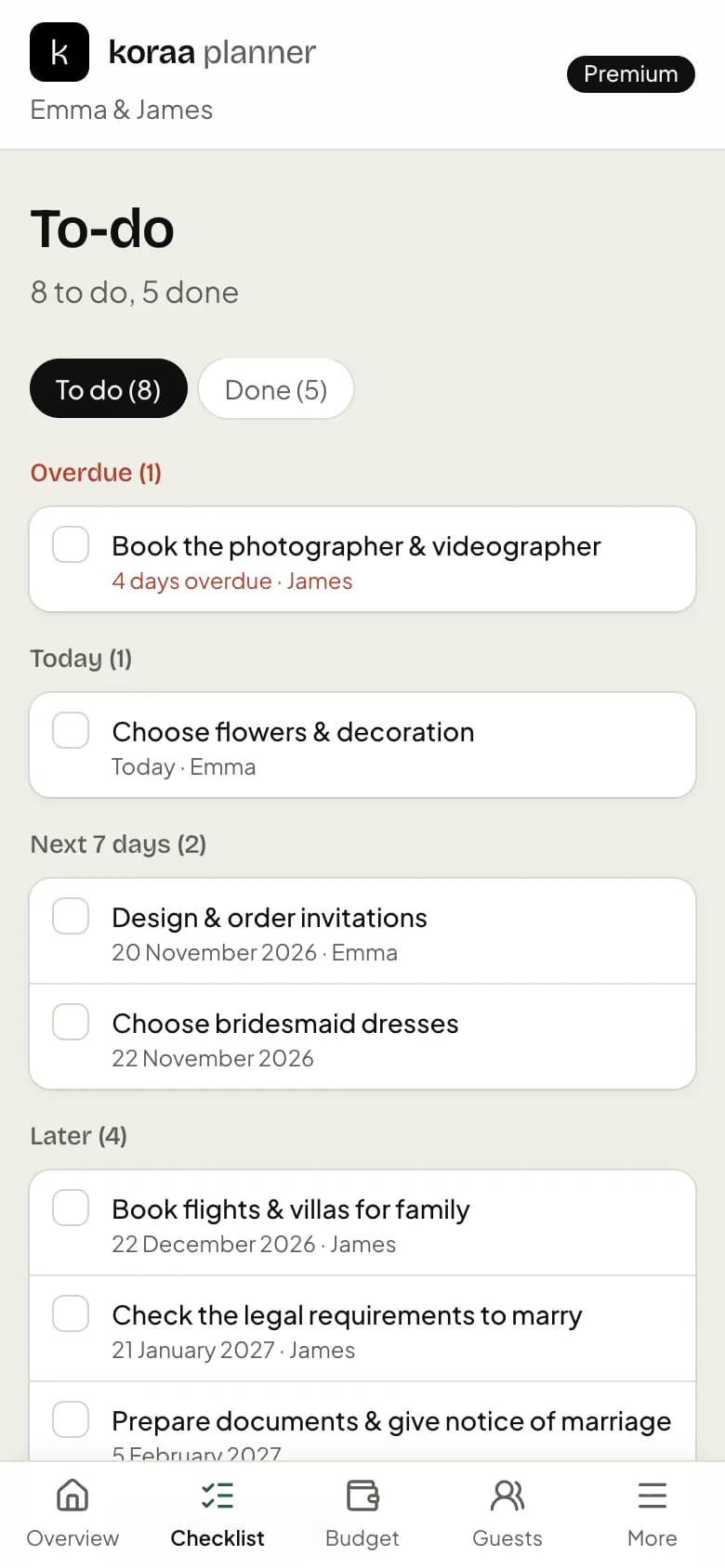
Know what to do today
Start from 19 common wedding planning tasks. Due dates are counted back from your wedding date.
- From booking the venue to sending the invitations
- Overdue tasks stand out right away
- Split the work: who does what
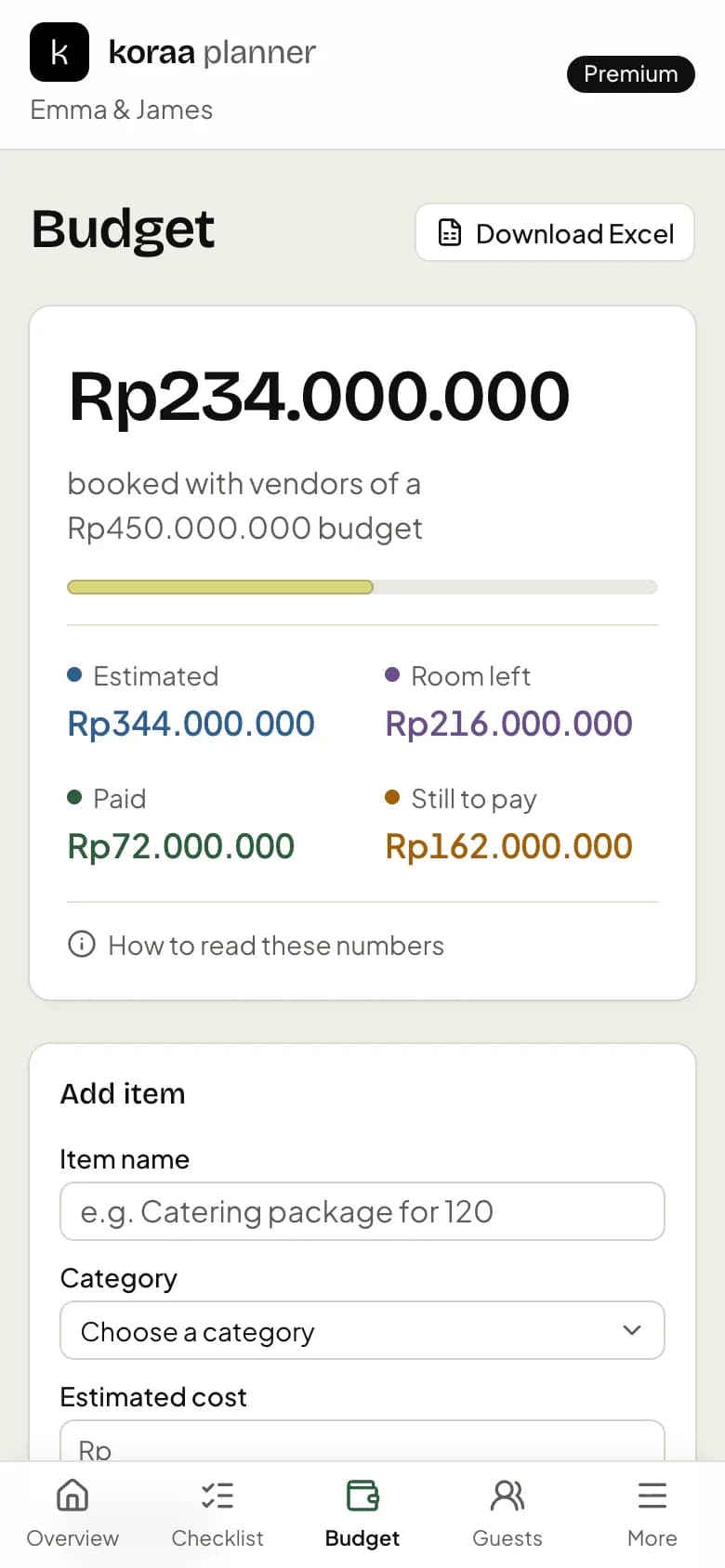
Wedding money without guesswork
Note the estimate for each item, the price you agreed with the vendor, then every deposit and final payment. The numbers are linked, so you never type them twice.
- 11 ready-made categories
- See when a vendor costs more than your estimate
- Vendor payment reminders for the next 30 days
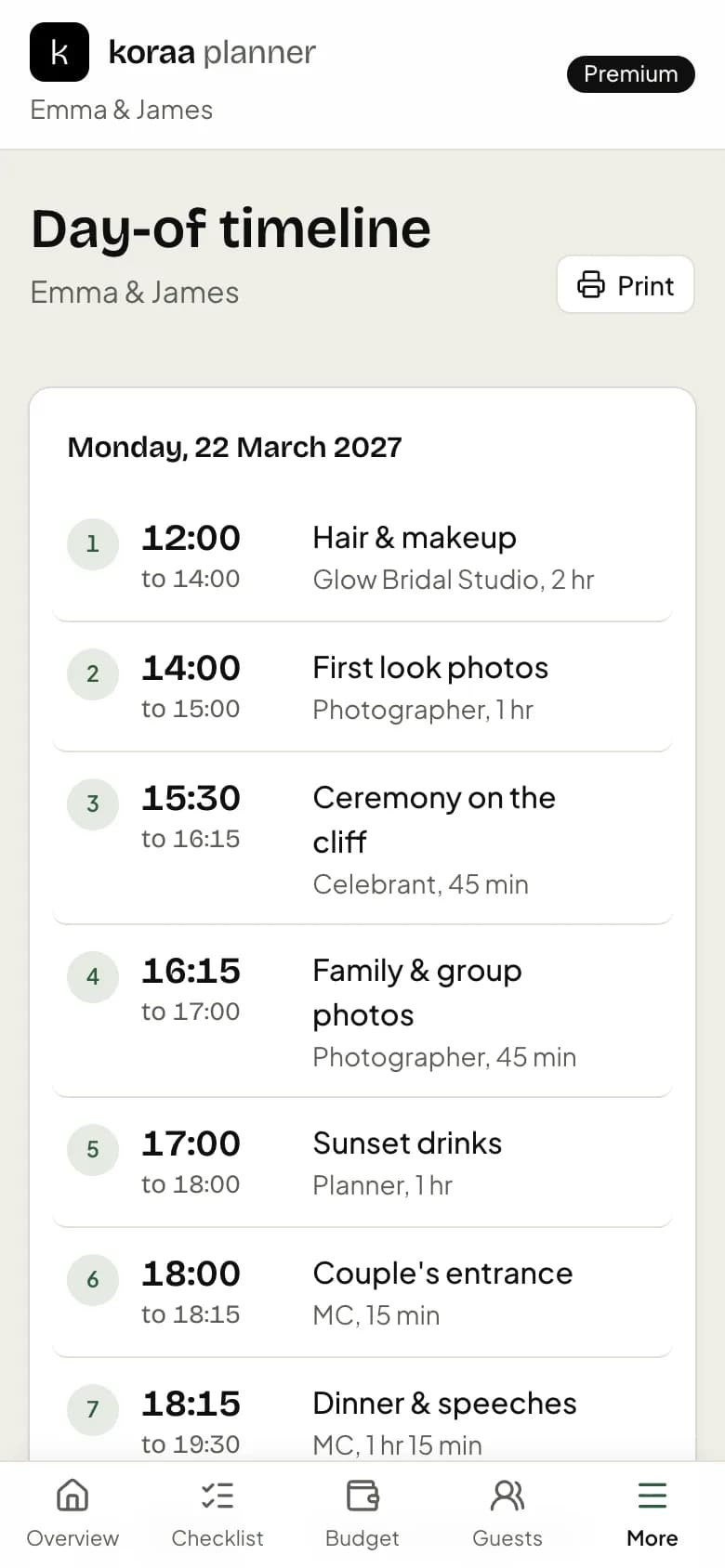
A day-of timeline, ready to print
Plan the day from hair and makeup to the send-off, with who's in charge of each moment. Print it and share it with your planner and family.
- A sample timeline to start from
- Events on the days before are included too
Save together, with a plan
Log each person's deposits and see how much to save each month to reach your target before the big day.
- Who has saved how much
- A monthly amount until the wedding
See how it works
Phone screen recordings from the real app. Pick one to watch the flow from start to finish.
Ketuk untuk mengganti video:
Rekaman layar HP dari aplikasi asli
Get started in 3 steps
- 1
Sign up and add your date
Create a free account and add your names and wedding date. The countdown starts right away.
- 2
Start with the checklist & budget
Add the starter checklist in one tap, then set your total budget and the vendors you're considering.
- 3
Plan together
Invite your partner or family. Every change shows up for everyone straight away.
Your wedding data, kept safe
Built and run by Koraa, a web development team in Indonesia.
Hosted in Indonesia
Data is stored at the Biznet Gio data centre in West Java.
Members only
Only people you invite can open your wedding.
Backed up daily
Data is backed up automatically to separate storage.
Clear, one-time pricing
Start free. Upgrade only if you need to, with one payment per wedding. Moving from Essentials to Premium? Just pay the difference.
Free
Rp0 forever
- Countdown to the wedding day
- Checklist with starter tasks
- Budget, vendors, deposits & final payments
- Printable wedding day timeline
- Savings tracker
- Song list & photo shot list
- Guest list, personal invitation cards & RSVP for up to 50 guests
Essentials
Rp39.000 one-time
Plan everything together.
- Everything in Free
- Guests & RSVP for up to 300 guests
- Invite your partner, family or planner (up to 4 people)
- Gift log & thank-you messages via WhatsApp
- Moodboard
- Read-only share links for your planner and family
- Export all data to Excel
Premium
Rp99.000 one-time
Per wedding, not a subscription.
- Everything in Essentials
- Unlimited guests & RSVPs
- Shared guest photo gallery by QR + event slideshow
- Voice wishes from guests by QR, only you can listen
- Digital guestbook: QR check-in, souvenirs & gifts
- QR check-in & table number on each invitation card
- Seating plan + printable table cards
Prices are in Indonesian Rupiah (IDR). Payment is by QRIS from Indonesian bank and e-wallet apps; international cards aren't supported yet. Only need guest photos? Take the Guest Gallery plan for Rp39.000.
Frequently asked questions
Is it really free?
Yes. Planning (checklist, budget & vendors, timeline, savings, guest list and RSVP) is free with no time limit. You only pay if you need more guests, collaborators or the wedding-day features.
Is it a subscription?
No. Every paid plan is a one-time payment for one wedding, with no monthly bill.
Does it work on my phone?
Yes. Koraa Planner runs in the browser on phones, tablets and laptops, and can be added to your home screen like an app.
Who can see our data?
Only the people you invite. Nobody else can open your wedding, even if they know the address.
How do I pay?
By QRIS from Indonesian bank and e-wallet apps, in Indonesian Rupiah. International card payment isn't available yet.
Start planning your big day today.
Free, no credit card. Invite your partner whenever you're ready.
Start for free
Illustrative photos & video: Meg von Haartman, Aneta Voborilova, David Goldman, Bruno Ngarukiye, Nathan Dumlao, Troy Olson, Agung Pandit Wiguna (Unsplash & Pexels). App screenshots use sample data.