QR guest check-in
PremiumYour welcome team scans the QR on each invitation card or searches a name, then records headcount, favours and gifts.
- 1
Open Guest check-in and tap Turn on guest check-in. You get a dedicated link and a 6-digit PIN.
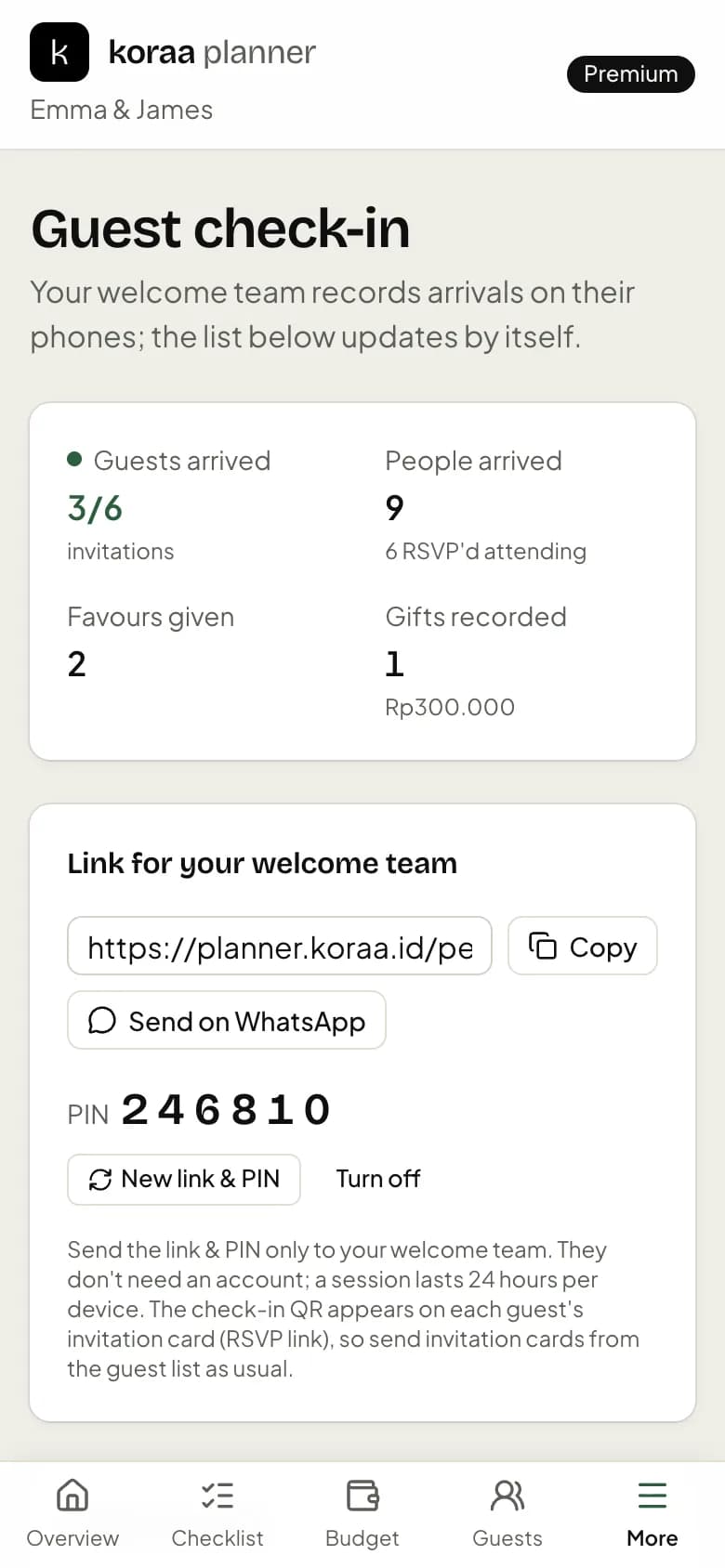
Guest check-in page: link, PIN and arrivals - 2
Send the link & PIN to your welcome team (Copy or WhatsApp). They don't need an account: open the link on a phone and enter the PIN.
- 3
When a guest arrives, the welcome team taps Scan invitation QR (or searches the name), sets how many people arrived, then taps Check in.
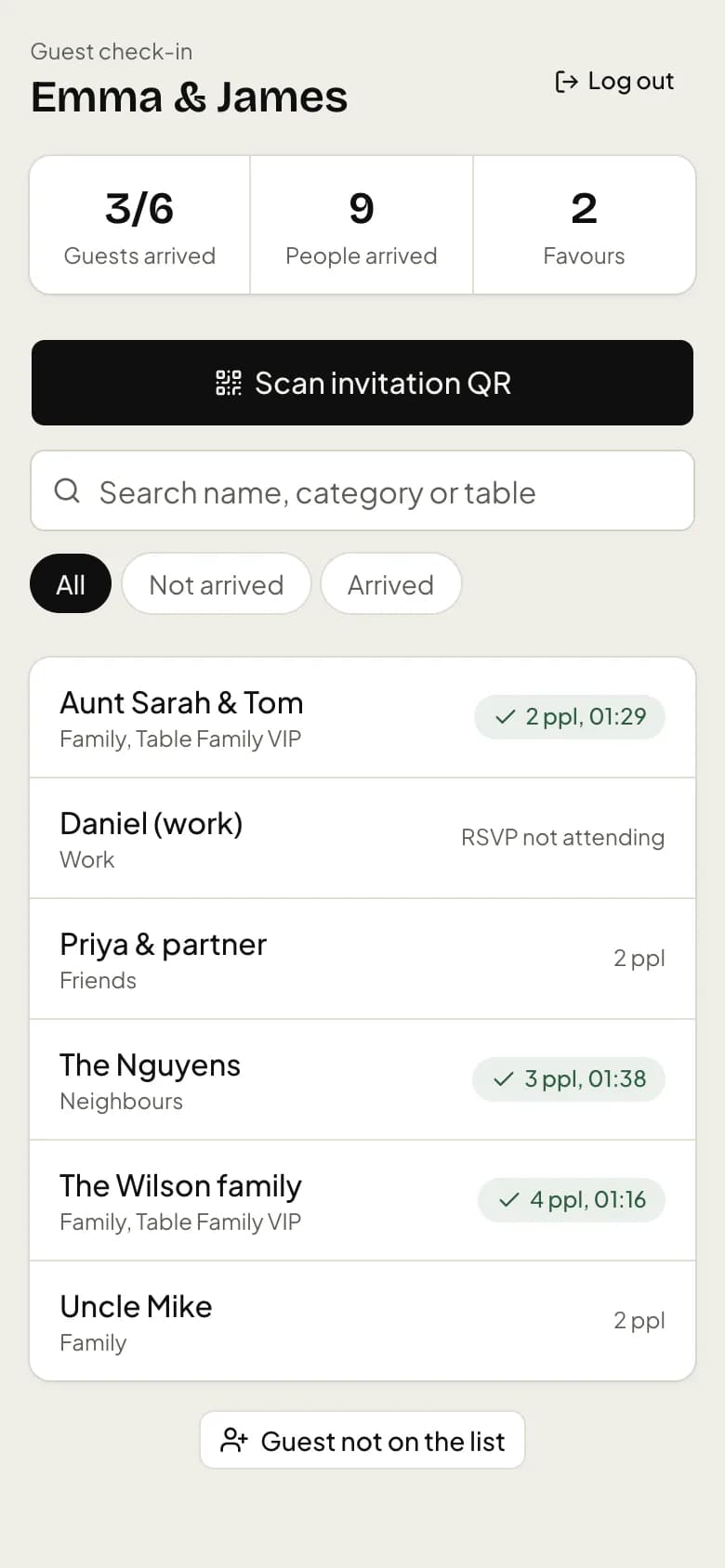
Welcome team screen: scan QR or search a name - 4
On the same screen: tap Give favour and record a gift envelope (the amount can be added later). Gifts appear on the Gifts page.
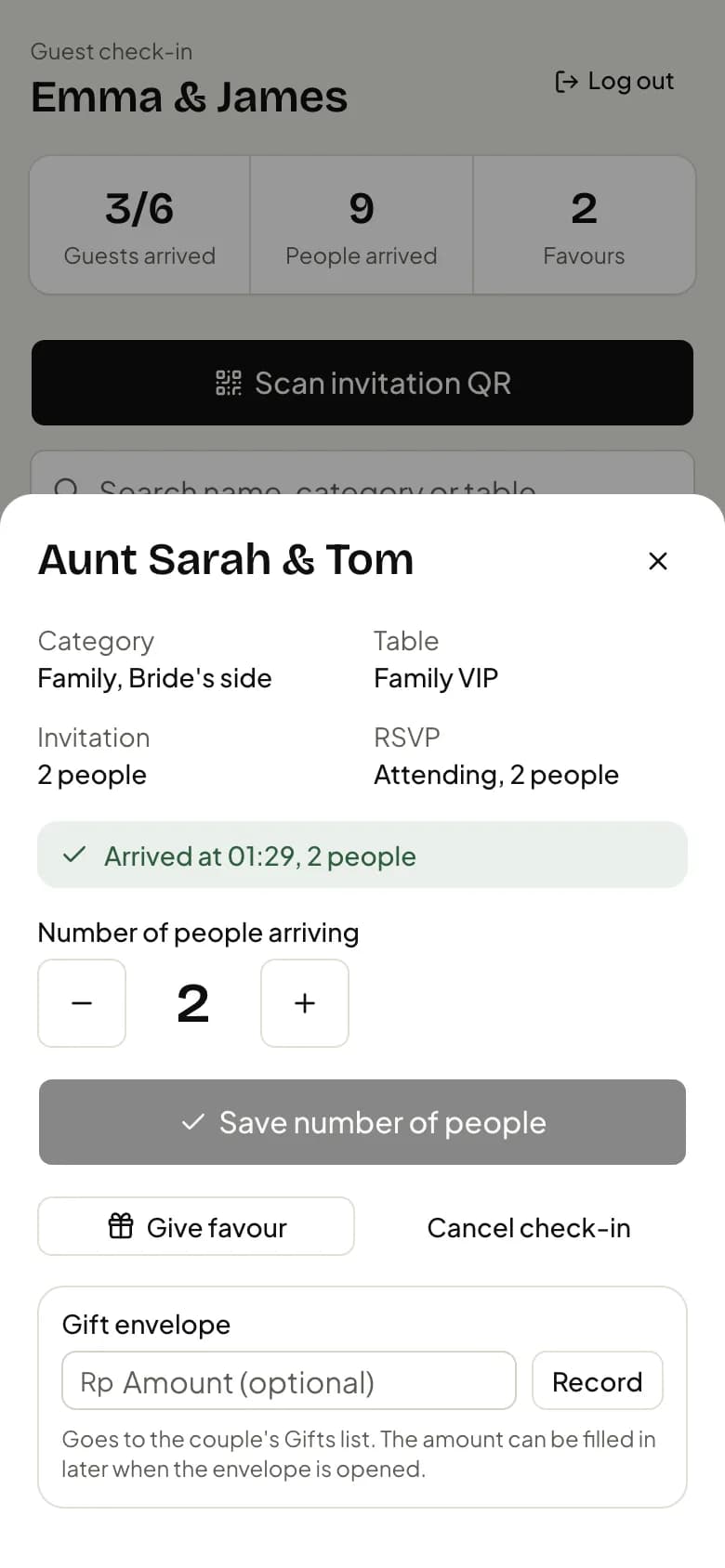
Guest details: headcount, favour and gift - 5
Arrivals show up live on your Guest check-in page: guests and people arrived, favours, gifts and the latest arrivals.