Send invitations on WhatsApp; guests reply through their personal link without signing up.
Video: guest list, WhatsApp invitations & RSVP (no sound).
1
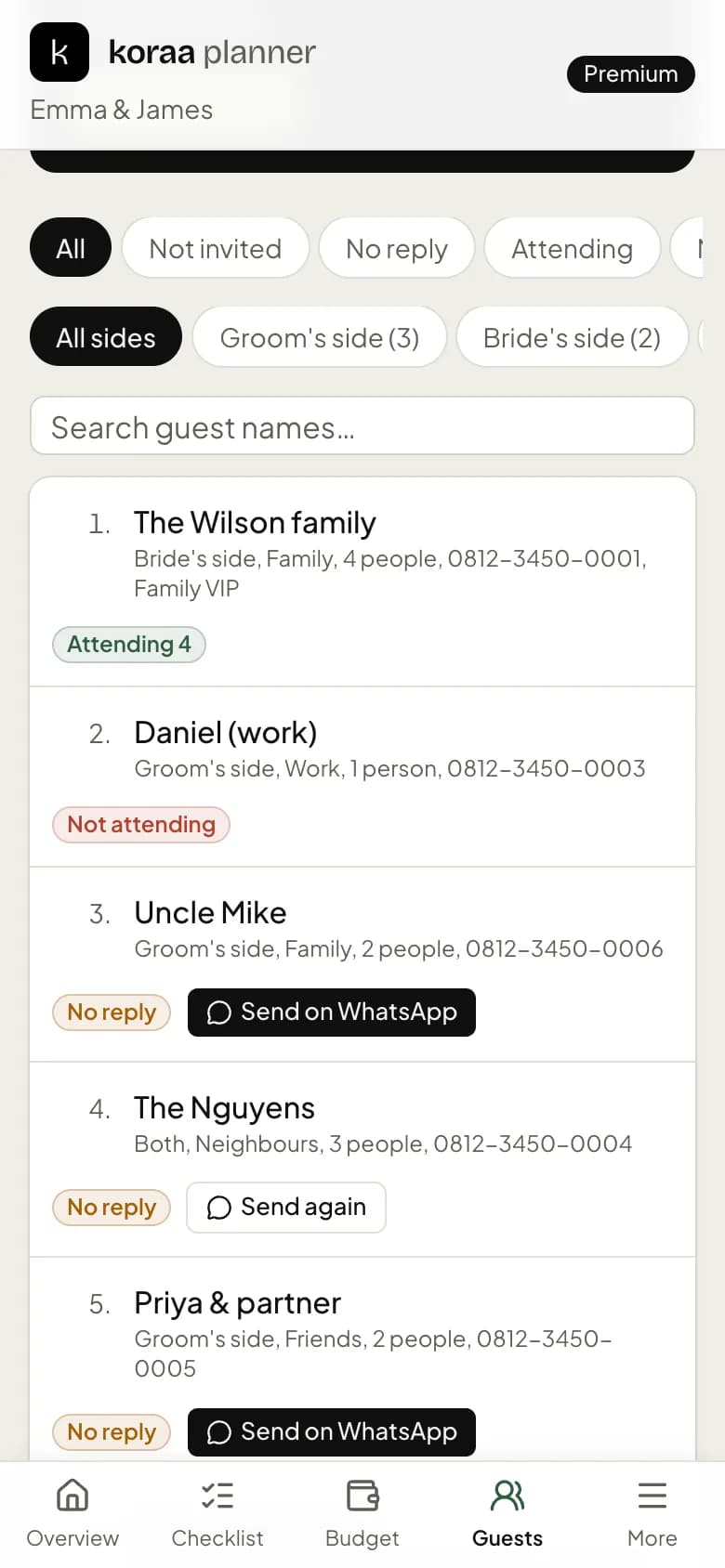
Open Guest list. Add guests one by one (name, WhatsApp number, number of people) or many at once with Add many at once.
2
Tap Send & next: WhatsApp opens with the invitation message filled in, including the guest's personal RSVP link. Just tap Send.
Guest list with RSVP summary
3
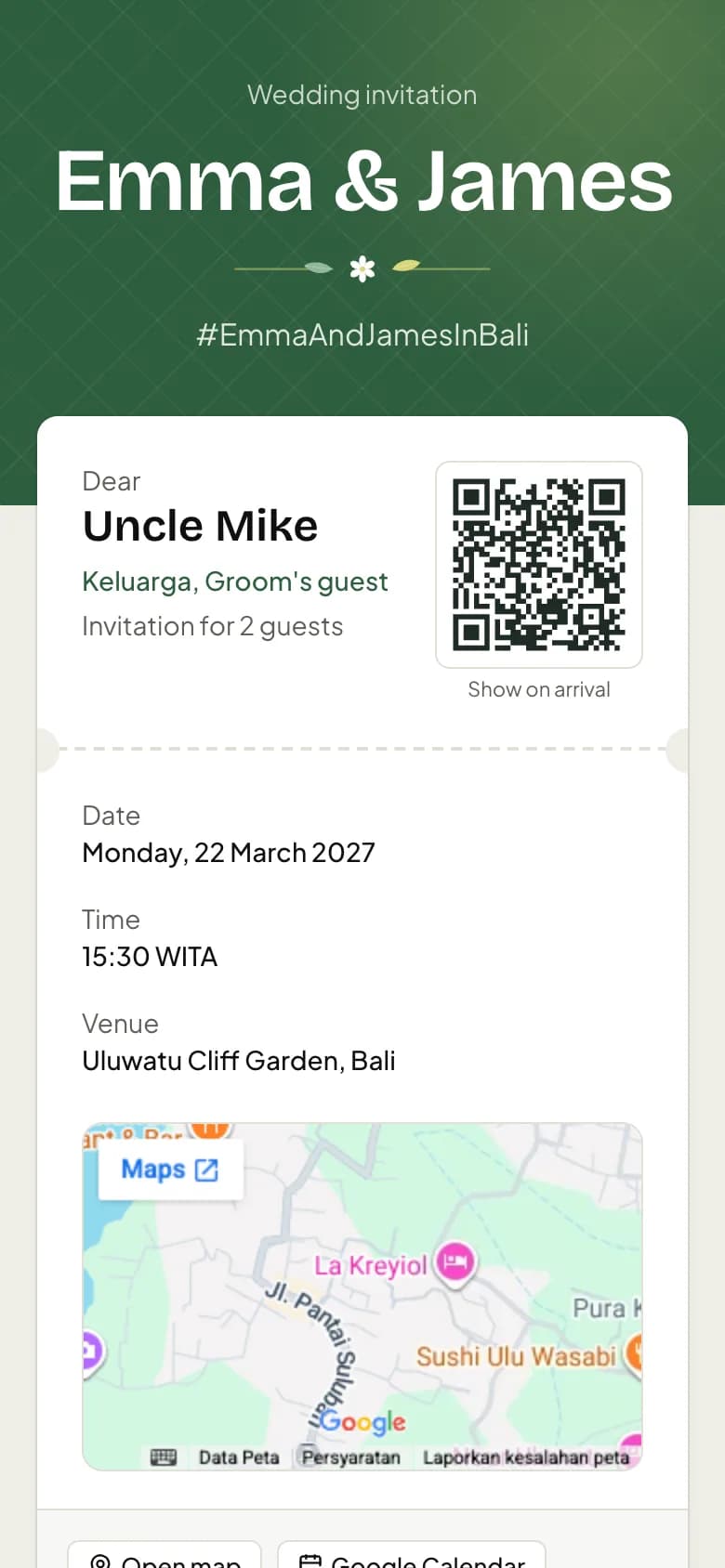
The guest opens the link (their personal invitation card), chooses Attending or Can't attend, the number of people and a message. No account needed.
RSVP page for guests
4
The summary above the list shows invitations sent, people attending and the maximum expected, handy for the caterer. Below it are the numbers from the bride's side, the groom's side and both.