Guest invitation cards
Every guest has a personal invitation card: cover photo, time & venue, map, calendar and RSVP.
- 1
Open Settings. In Wedding profile fill in the start time, venue, Google Maps link and hashtag (all optional).
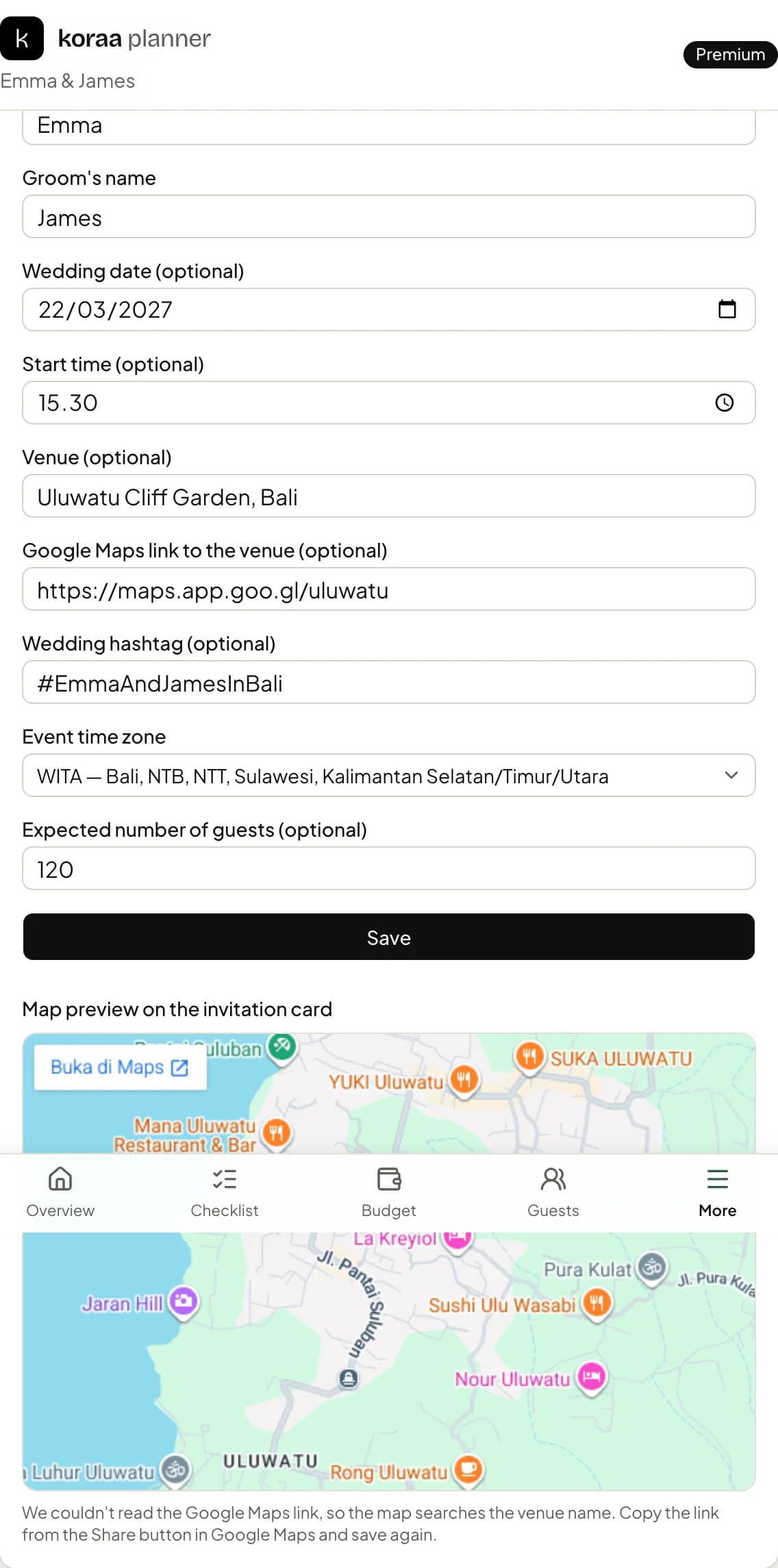
Wedding profile: start time, venue, map link and hashtag - 2
In the Cover photo card tap Choose photo. It appears on the Overview, invitation cards, guest photos, the gallery QR card and WhatsApp link previews.
- 3
Once uploaded, tap or drag the dot to the most important part of the photo (for example your faces). The phone, tablet, laptop, card image and WhatsApp previews update right away. Tap Save position. You can adjust it again any time with Adjust photo position.
- 4
Send invitations from the Guest list as usual. The link in the WhatsApp message opens that guest's card: their name & category, day, time, venue, Open map, Google Calendar or another calendar, and Save card (image).
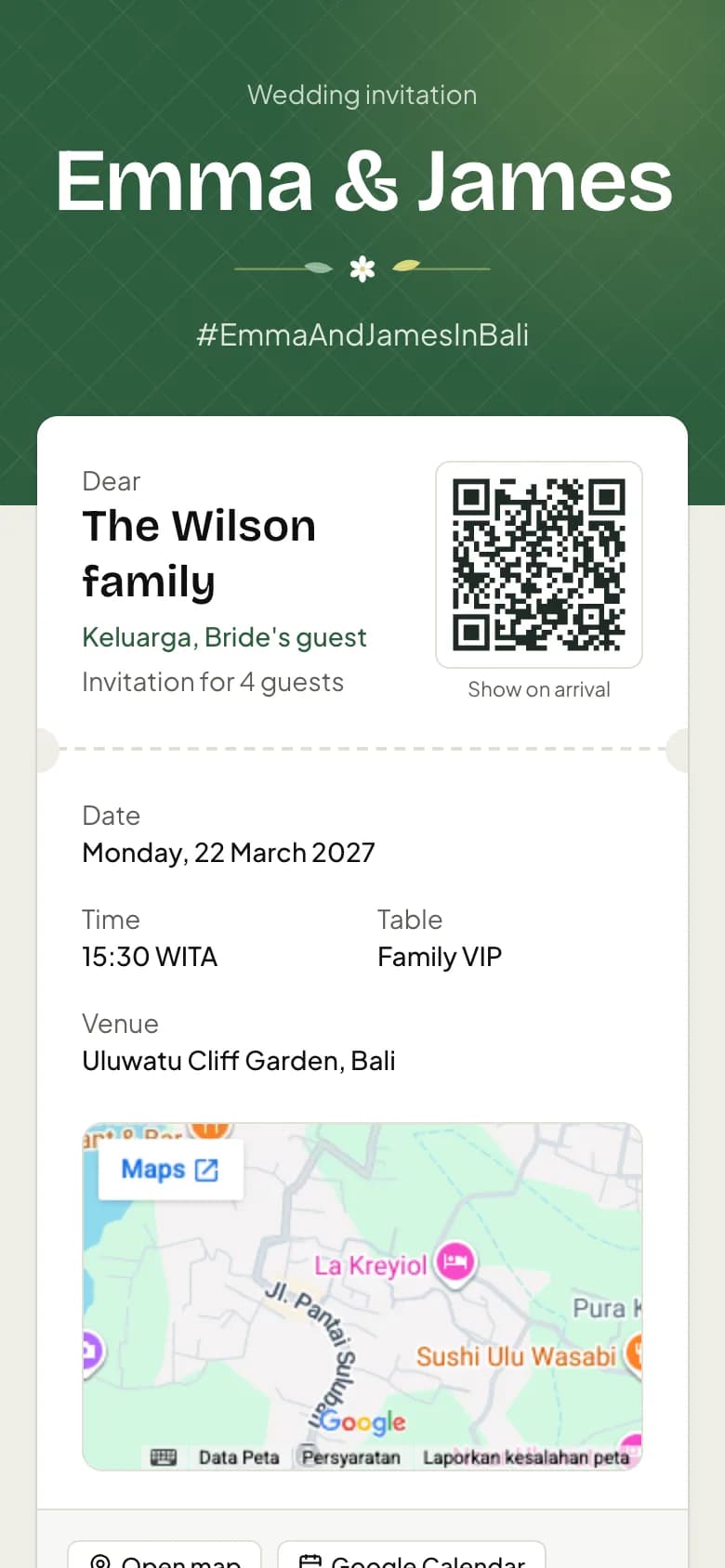
A guest's personal invitation card - 5
On Premium the card also shows a check-in QR and the table number (from Seating).