Free, Essentials & Premium plans
Free to plan, Essentials to plan together, Premium for the day itself. One payment per wedding, not a subscription.
Free covers everything you need to plan: countdown, checklist with starter tasks, budget, vendors with deposits & final payments, day-of timeline, savings, song list & shot list, notes, and guest list & RSVP for up to 50 guests. Essentials is for planning together: invite your partner/family/planner, up to 300 guests, gift log, moodboard, share links and Excel export. Premium adds the wedding-day features: unlimited guests, shared guest photos, voice wishes, QR guest check-in and seating plan. Only need guest photos? There's a Guest Gallery plan without Premium.
- 1
Paid features have a lock icon in the menu (the More page shows Essentials or Premium). Opening one explains the feature and shows an upgrade button for the plan you need.
- 2
Tap the plan label (for example Free · Upgrade) at the top. The Upgrade page shows Essentials and Premium with their prices; tap one to choose.
- 3
Enter an Indonesian mobile number (required by the iPaymu payment page), then tap Pay. Only the wedding owner can pay.
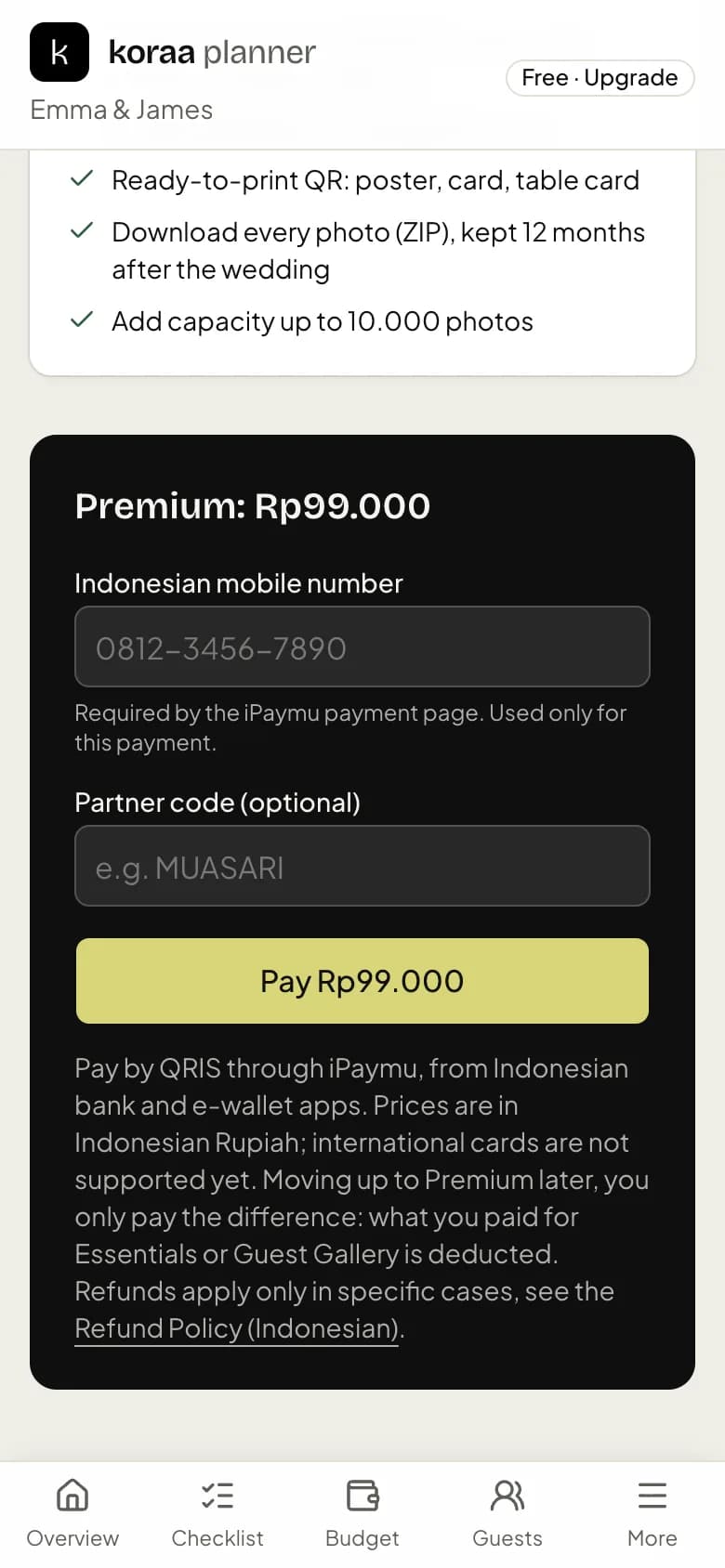
Upgrade page: chosen plan, mobile number and Pay button - 4
On the iPaymu page choose a payment method (for example QRIS: scan the code from a banking or e-wallet app), then complete the payment.
- 5
After paying you come back to Koraa Planner. The plan is active within seconds and a receipt is sent to your email.