koraa planner
FeaturesGuest photosPricingFAQ
Log inStart for freeBahasa Indonesia
All guides

Getting started

Sign up & create your weddingThe OverviewInvite your partner & familyAdd Koraa Planner to your phoneFree, Essentials & Premium plans

Planning

Checklist & starter tasksMarriage documents (Indonesia)Notes

Money

BudgetVendors & paymentsWedding savings

Guests

Guest list, WhatsApp invitations & RSVPGuest invitation cardsQR guest check-inSeating plan & table cardsShared guest photos (QR code)Voice wishes from guestsGifts

Event prep

Day-of timelineSeserahan (gift trays)Family attireMoodboardSong list & shot list

Sharing & account

Share links for your planner & familyExport your data to ExcelAccount, security & email reminders
Guide / Planning

Notes

Keep ideas, questions for vendors and speeches in one place.

Video: notes (no sound).
  1. 1

    Open Notes, add a title (optional) and the note, then tap Save note.
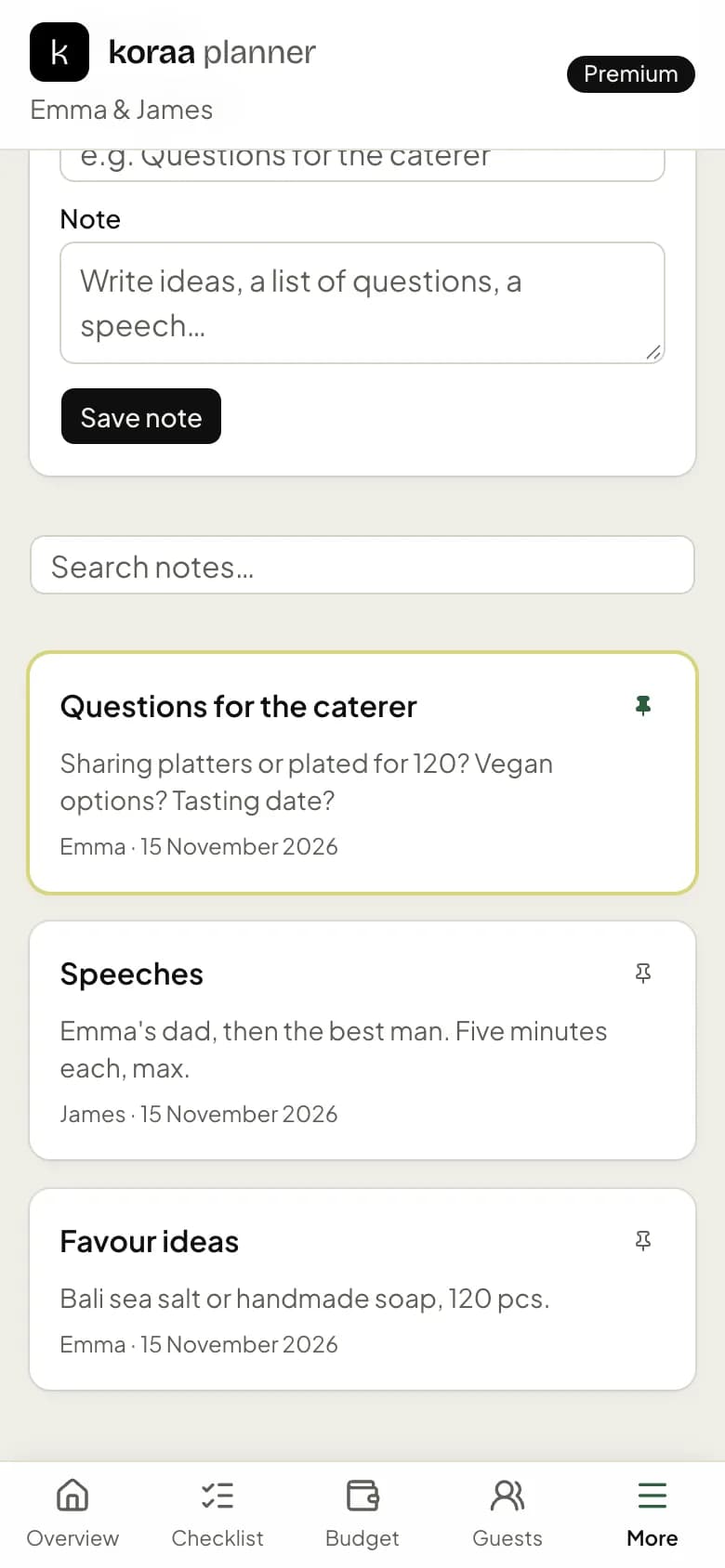
    List of notes
    List of notes
  2. 2

    Tap the pin icon to keep an important note at the top. Tap a note to edit or delete it.

  3. 3

    Use the search box to find older notes.

PreviousMarriage documents (Indonesia)NextBudget
koraa planner

Plan your wedding together, from the first checklist to the wedding day.

Made by Koraa

Bahasa Indonesia

Product

  • Features
  • Pricing
  • Start for free
  • Log in

Help

  • Guide
  • FAQ
  • WhatsApp
  • Email

Legal

  • Privacy policy (in Indonesian)
  • Terms (in Indonesian)
  • Refund policy (in Indonesian)

© 2026 Koraa. All rights reserved.